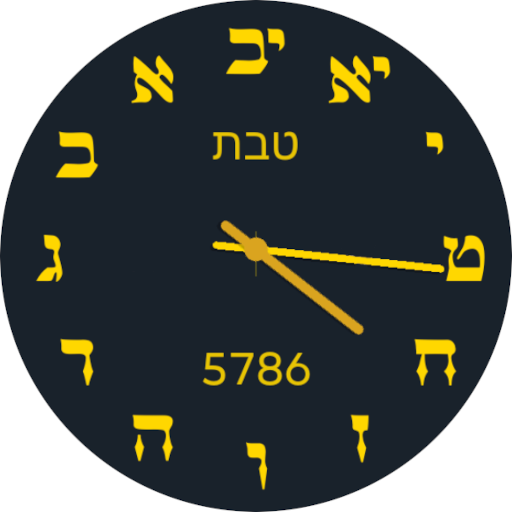
Hebrew Time
Time flowing back to its beginning
The first Hebrew analog clock widget with counter-clockwise motion!
The ultimate Hebrew calendar widget for Android with precise halachic times (zemanim) and beautiful customizable skins.
Download Now
Time flowing back to its beginning
The first Hebrew analog clock widget with counter-clockwise motion!
The ultimate Hebrew calendar widget for Android with precise halachic times (zemanim) and beautiful customizable skins.
Download NowThe first analog clock widget with Hebrew numerals (Gematria) that moves counter-clockwise, following traditional Hebrew reading direction from right to left.
Full Hebrew calendar with Jewish holidays, parashat hashavua, and automatic Israel/Diaspora detection based on your GPS location.
Accurate halachic times including sunrise, sunset, candle lighting, and havdalah times calculated from your GPS coordinates.
Never miss Shabbat or a Jewish holiday with notifications 24 hours and 30 minutes before candle lighting time.
Choose from 5 professionally designed clock skins with live preview and instant switching.
Options to display dates with Latin month names and Arabic numerals for easier reading alongside Hebrew.
Automatic GPS location detection with option to manually enter custom coordinates or select from 38 predefined cities worldwide.
Unlock all skins and advanced features with a one-time $4.99 purchase. Free version includes core functionality.
Swipe through to explore all features
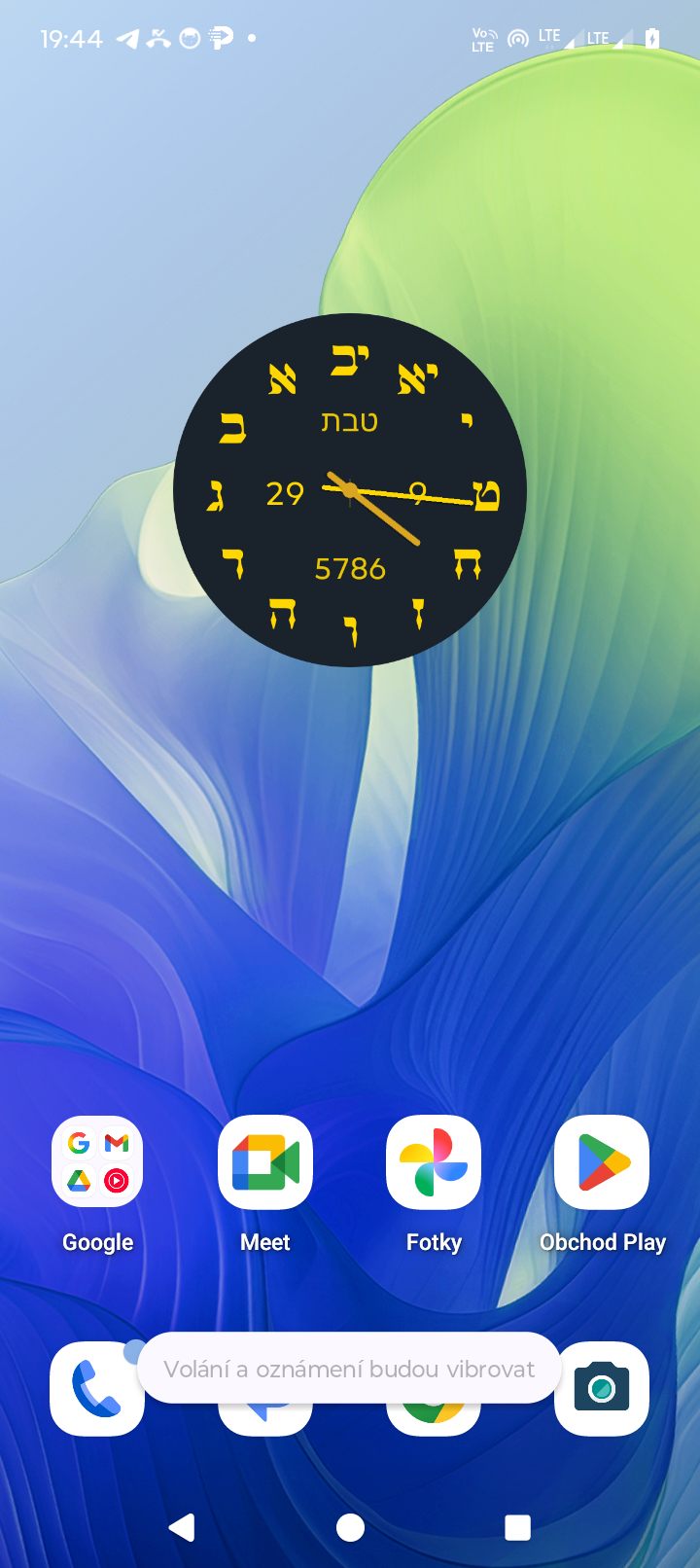
Widget on Home Screen
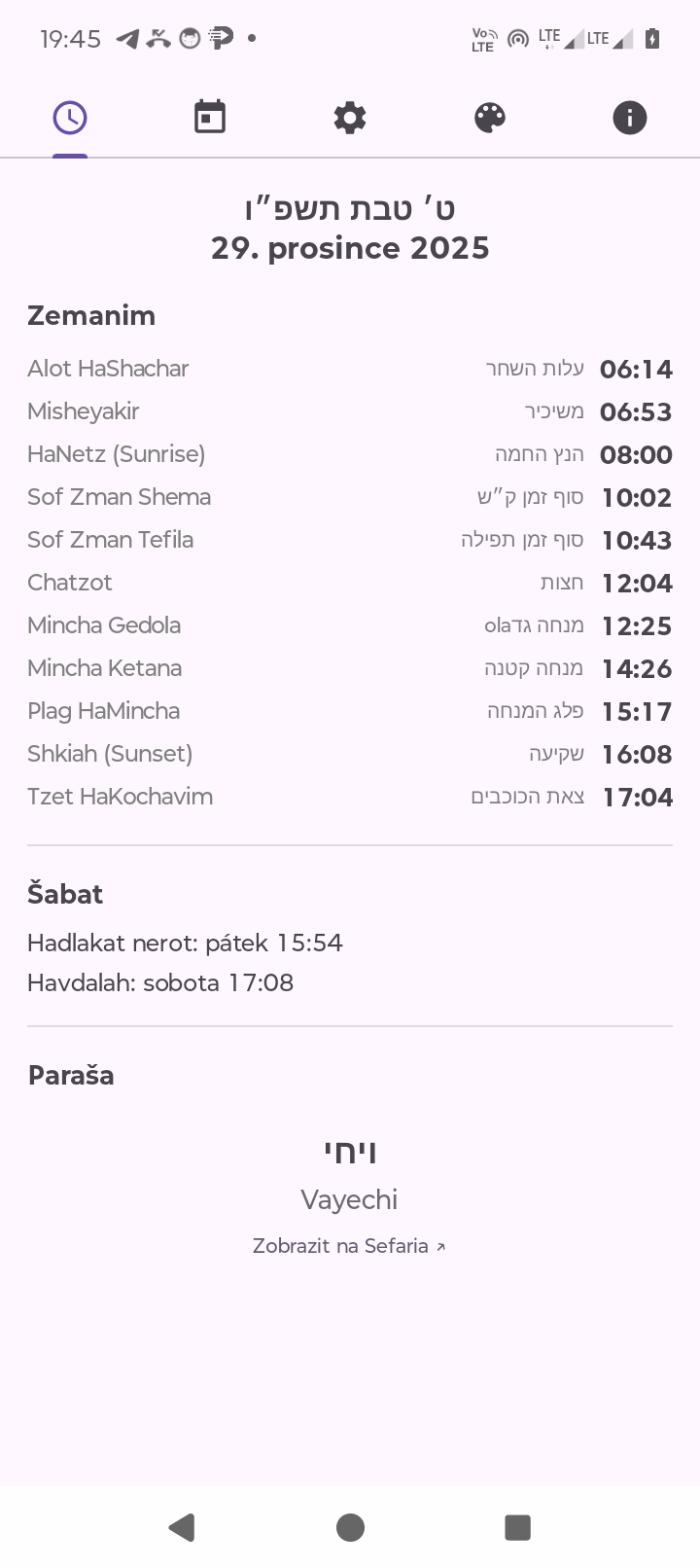
Zemanim - Halachic Times
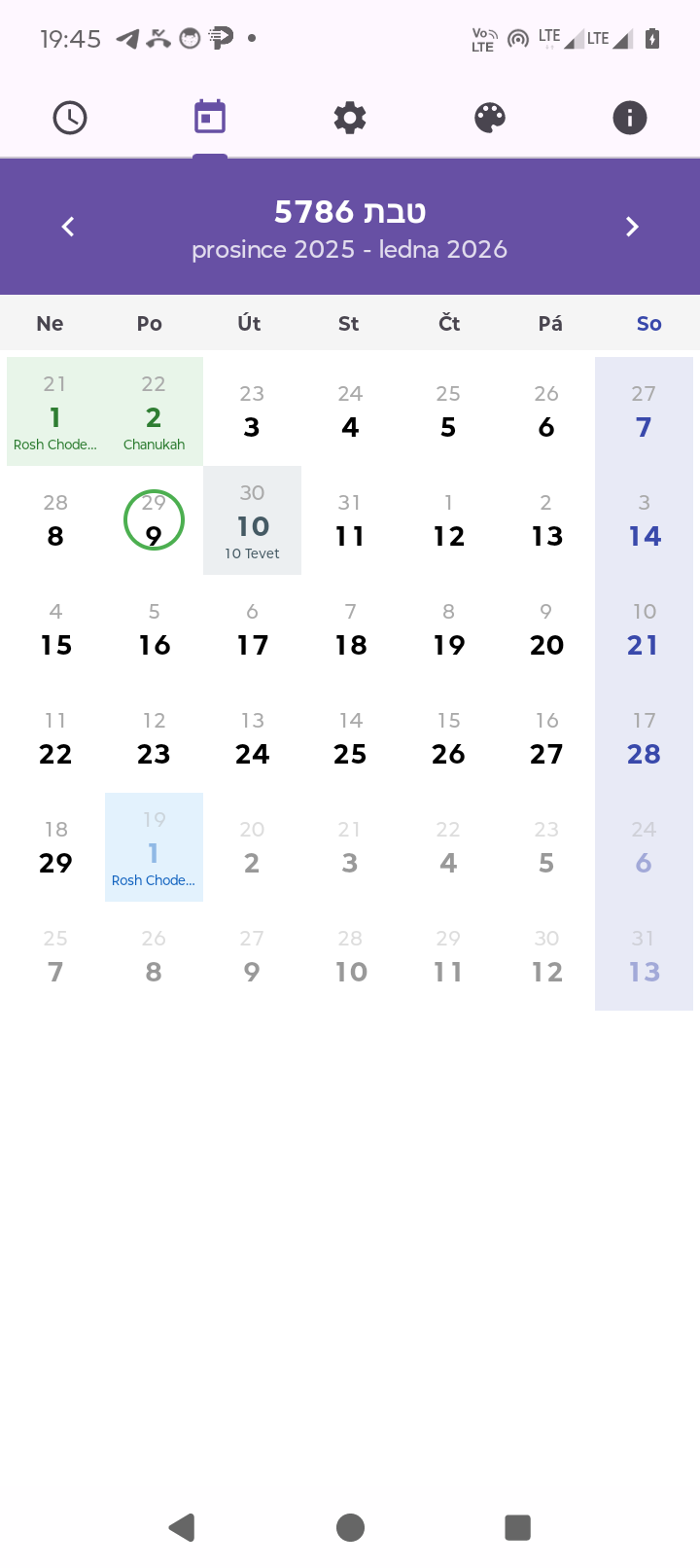
Hebrew Calendar with Holidays
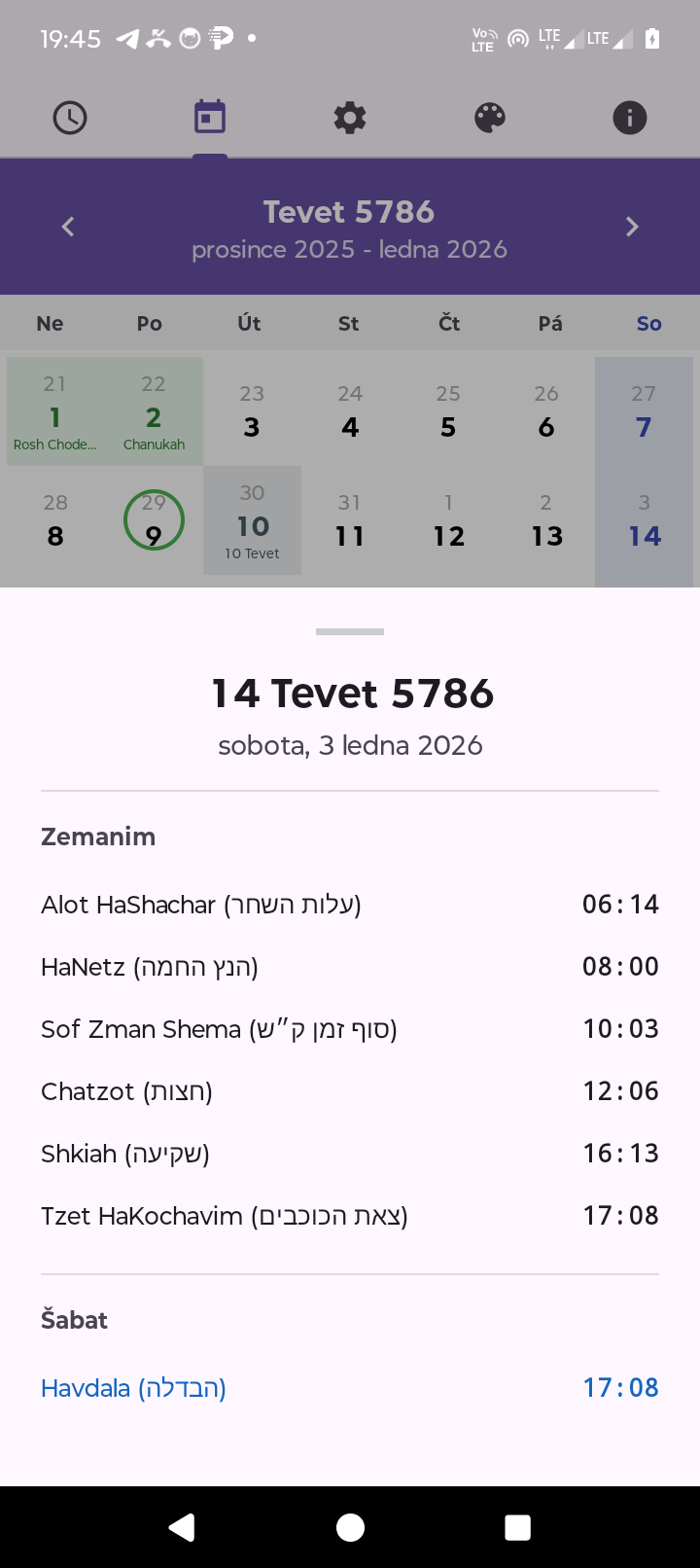
Date Details with Zemanim
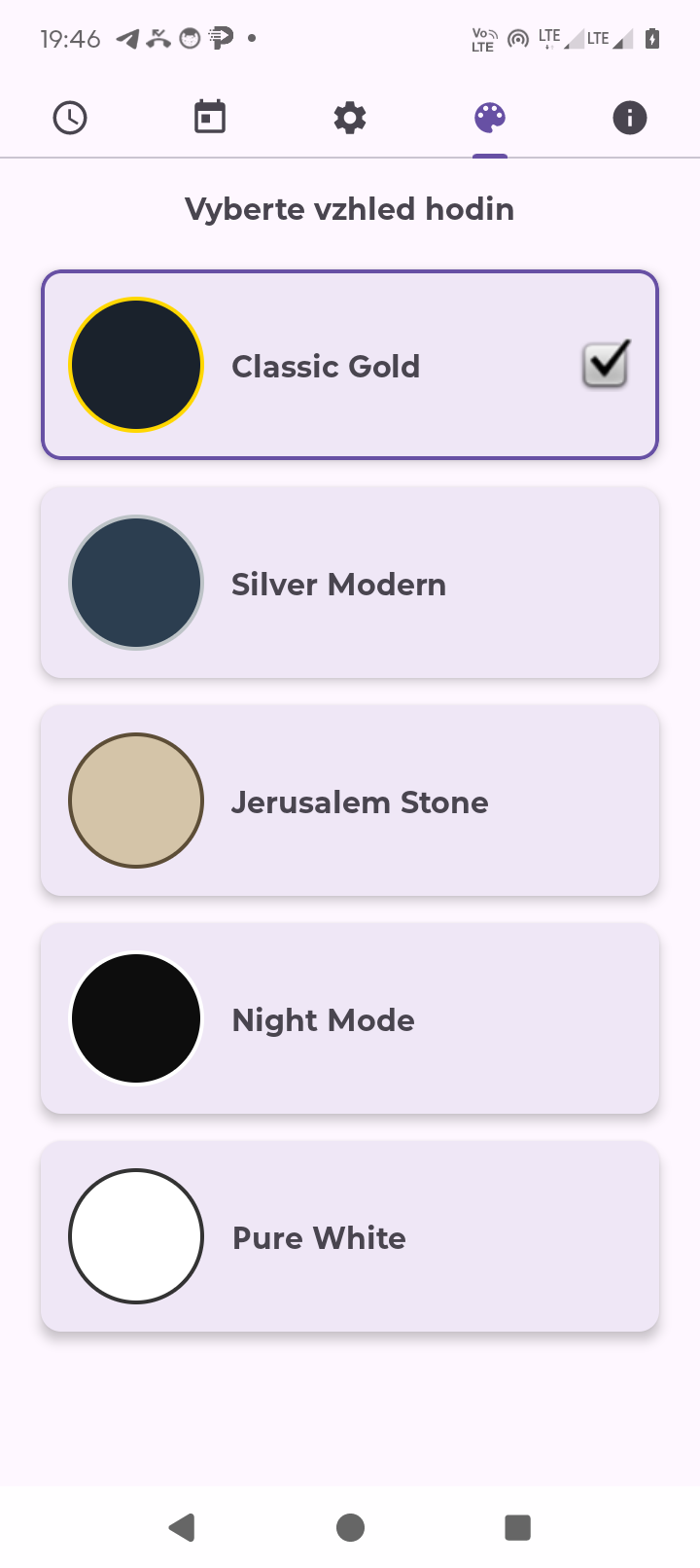
5 Beautiful Clock Skins
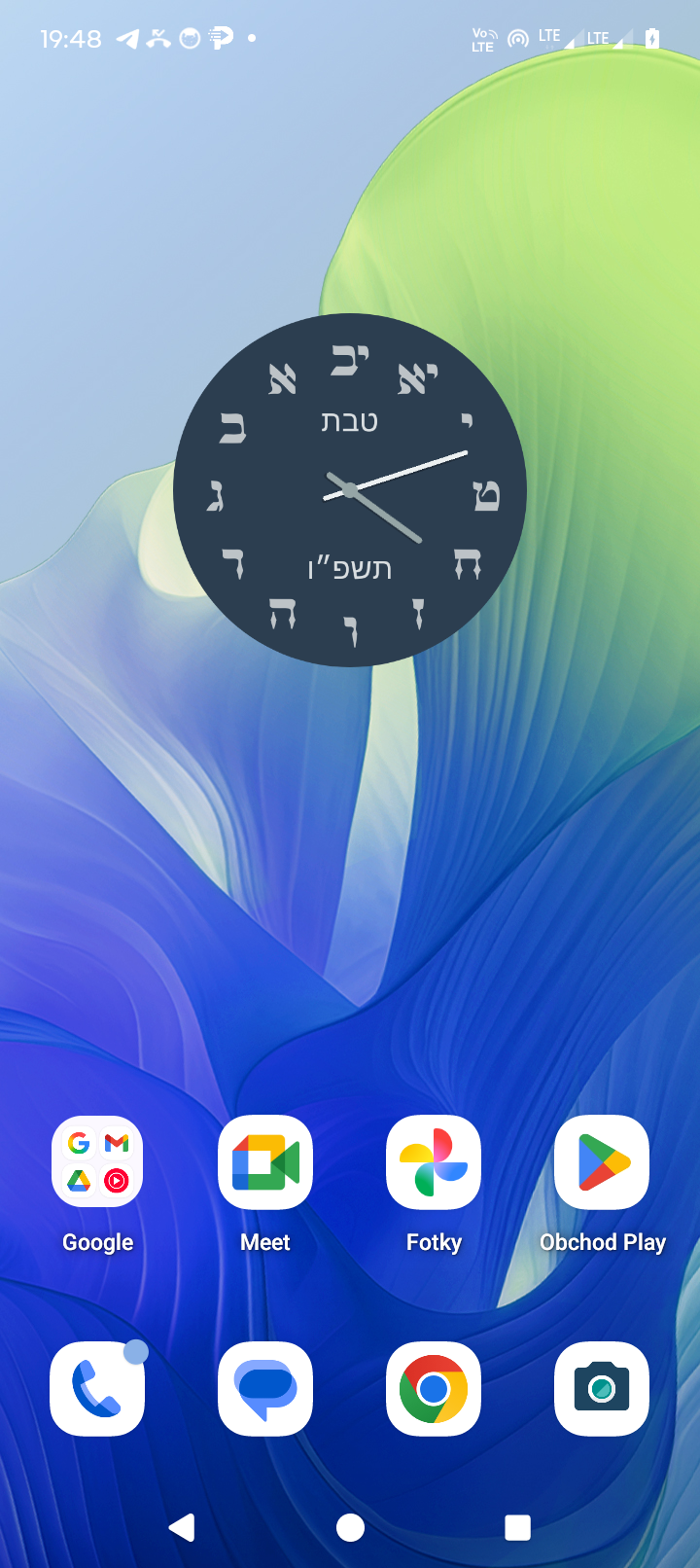
Counter-Clockwise Hebrew Clock
Download Hebrew Time from the Google Play Store and install it on your Android device (requires Android 7.0 or higher).
For accurate zemanim calculation, the app needs location permission:
The Zemanim tab displays all halachic times for the current day based on your location:
All times automatically update based on your GPS location and the current date.
The Calendar tab shows a full Hebrew calendar view with:
Tap any date to see detailed information in a bottom sheet:
Hebrew Time includes 5 beautiful clock skins. To change skins:
Unlock all features with a one-time $4.99 purchase:
To upgrade to premium:
Hebrew Time is optimized for battery efficiency:
Need help or have suggestions?
We typically respond within 24-48 hours.